# PDF文件不能预览的解决方法
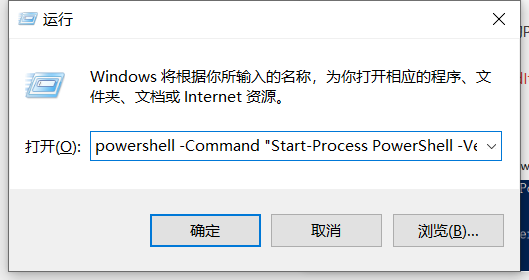
1、在powershell中对PDF文件夹进行解除锁定,以管理员权限运行powershell,以下命令可以直接以管理员运行powershell如下:
powershell -Command "Start-Process PowerShell -Verb RunAs"
如下图:
[](https://docs.optmv.com/uploads/images/gallery/2025-10/1lGimage.png)
假设你的PDF文件目录是 D:\\PDF目录,在Powershell界面中输入以下命令,然后回车
Get-childItem "D:\\PDF目录” -Recurse Unblock-File
如下图:
[](https://docs.optmv.com/uploads/images/gallery/2025-10/7OBimage.png)
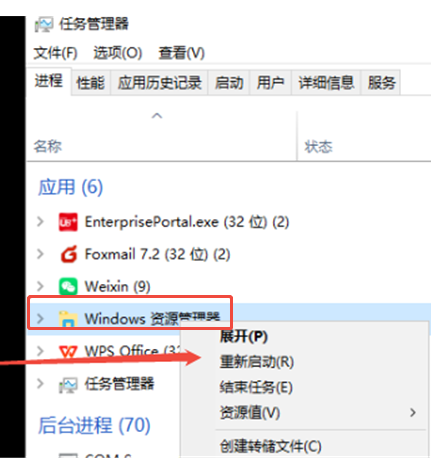
2、如果以上还不行,不能预览,再次进行重启资源管理器生效,有时不会及时生效。经过测试,一般这样操作后,就OK了
[](https://docs.optmv.com/uploads/images/gallery/2025-10/AvYimage.png)